Adora vs LogRocket
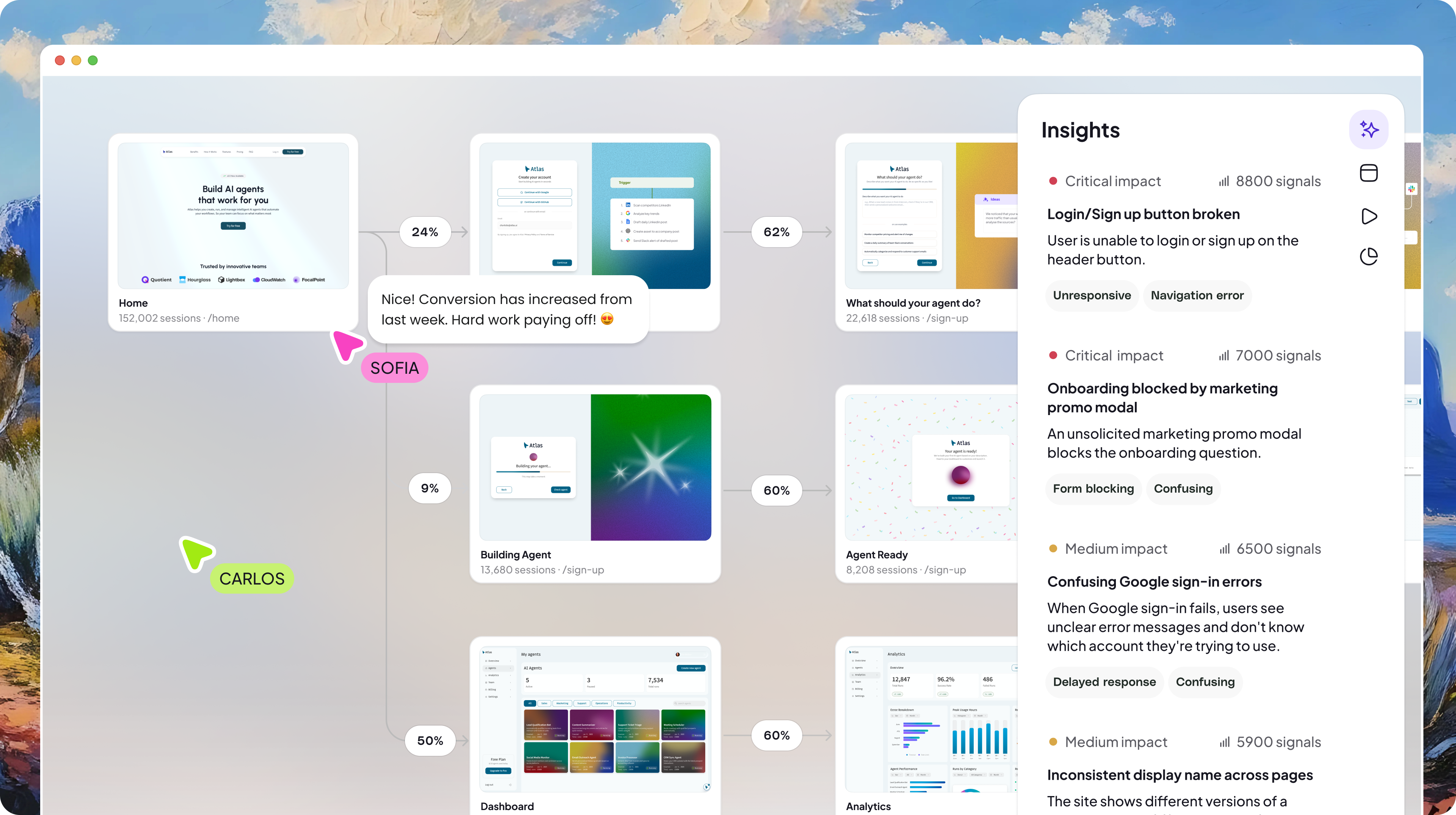
Adora maps your entire product experience and shows you exactly where every session fits in the journey. We automatically capture every user path, overlay visual analytics directly on your screens, and surface frustrations before they snowball so stakeholders can understand their product without needing a degree in data science.
Loved by product-obsessed teams


COMPARISON
See why people
choose Adora
Session replays aren't isolated clips, they're connected to the flows users actually take. Your whole team, from product managers to engineers, gets the complete picture, not just fragments from debugging sessions.
Product Comparison


Automated Journey Mapping
Visual Analytics
AI Insights
Wayback Machine
Multi-Language & Device Coverage
AI-Powered Search
Built for
Everyone
Engineers debugging issues

Adora is a product team’s cheat-code to building cohesive end-to-end journeys

FAQs
LogRocket is built for engineering and development teams — its session replay is designed for debugging, capturing JavaScript errors, network requests, Redux state, and console logs alongside user recordings. Adora is built for product teams. It automatically maps every user journey, surfaces friction patterns using AI, and gives product managers and designers visual context to understand what to improve. LogRocket answers 'what went wrong technically?'; Adora answers 'what is happening behaviorally across all users and which issues matter most?'
For product teams focused on understanding user journeys and experience quality, Adora replaces the product analytics use case of LogRocket entirely. However, LogRocket's technical debugging capabilities — JavaScript error capture, network request logging, Redux state inspection — are not replicated in Adora. Engineering teams that need full debugging context alongside sessions would still benefit from LogRocket. Many teams use both: Adora for product analytics and journey mapping, LogRocket for engineering debugging workflows.
Yes. Adora captures full session replays including clicks, scrolls, rage clicks, dead clicks, and cursor movements. The key difference is how replays are accessed: in Adora, every replay is linked to the journey pattern and AI Insight it belongs to, so you arrive at sessions because the system flagged something worth investigating. In LogRocket, you typically search for sessions by error type, user ID, or time window — which requires knowing what to look for in advance.
No. Adora installs with a single JavaScript snippet and automatically captures every screen, interaction, and session from that point. There is no event taxonomy to design or maintain. LogRocket requires manual event instrumentation for its product analytics features, which creates instrumentation overhead and coverage gaps when features ship without tracking.
Adora is purpose-built for product managers. Its core workflows — reviewing AI-scored friction insights, drilling from journey patterns into representative session replays, pushing detected issues to Linear with evidence pre-filled — are designed for non-technical users who need behavioral answers without engineering dependency. LogRocket's interface prioritises developers, and its depth of technical information (console logs, network requests, application state) is most useful to engineers rather than PMs.
No. LogRocket does not have automated journey mapping as a native capability. You can build funnels from manually tagged events, but the system does not automatically cluster sessions into journey patterns or surface unexpected paths through the product. Adora's automated journey mapping groups all sessions by behavioral pattern using AI — no funnel definitions or event instrumentation required.