Your product’s time machine
Loved by product-obsessed teams


Every release
auto-captured
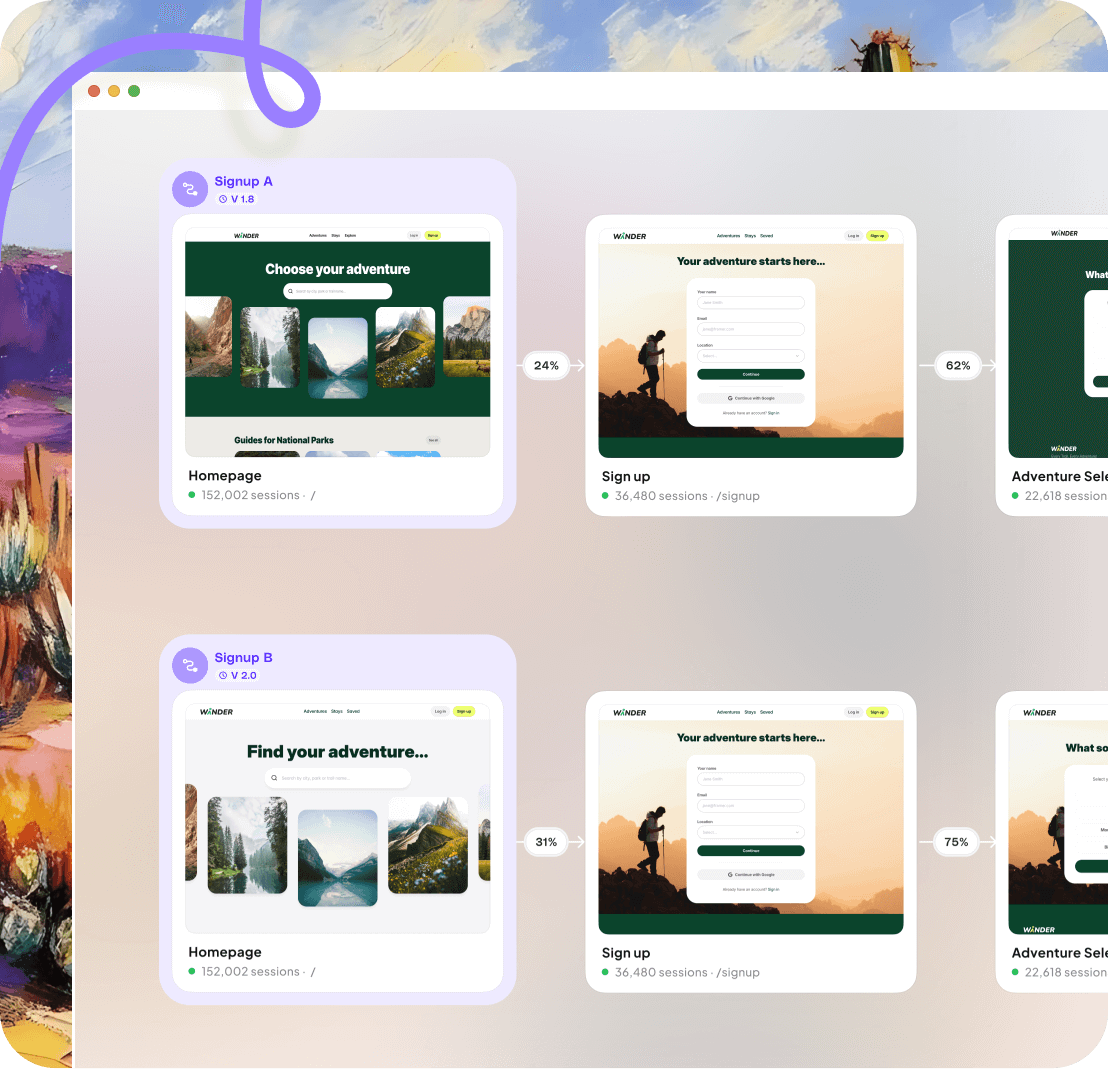
Take a trip back in time with Adora’s Wayback Machine. Explore your product’s history with screenshots, visual analytics and session replays, all in one place.
Use this to see how every release shaped the user journey, and to get to the bottom of bugs or metric-swings.
Turn hindsight
into foresight
From tracking your product’s evolution to analyzing release impact and simplifying debugging. Wayback Machine is your new superpower.
Compare old and new
Compare past versions of your product across languages, devices, and timeframes side by side, complete with performance metrics.
Make informed decisions with a clear view of your product’s journey over time.
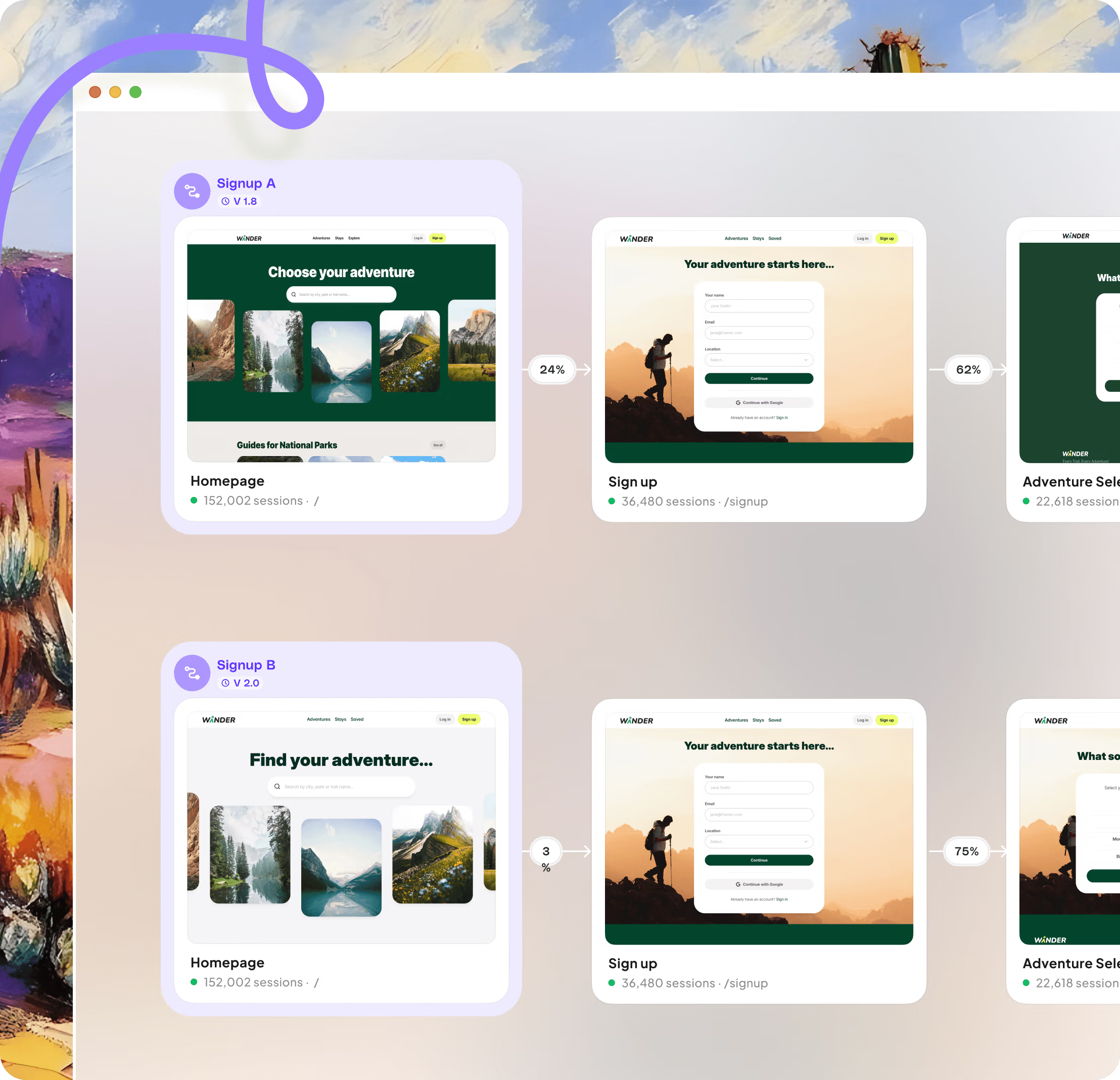
Optimize conversion
Boost conversion rates by pinpointing exactly which changes made an impact. Track how every update, design tweak, or copy adjustment affects metrics with funnel data tied to historical designs.
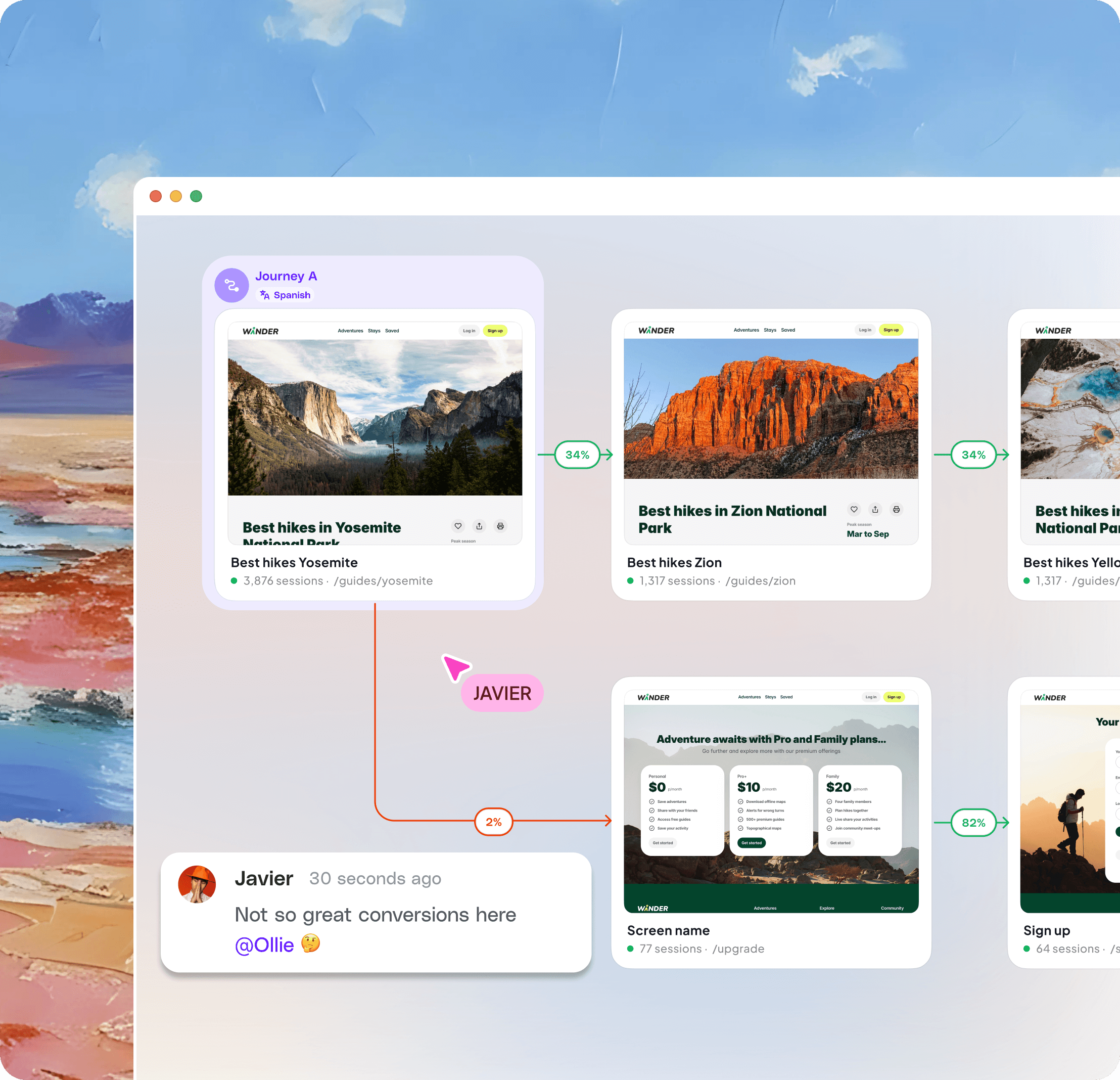
Track changes, fix issues
Pinpoint issues faster by comparing past versions and watching session replays attached to older designs. Leveraging real customer insights for quicker fixes.
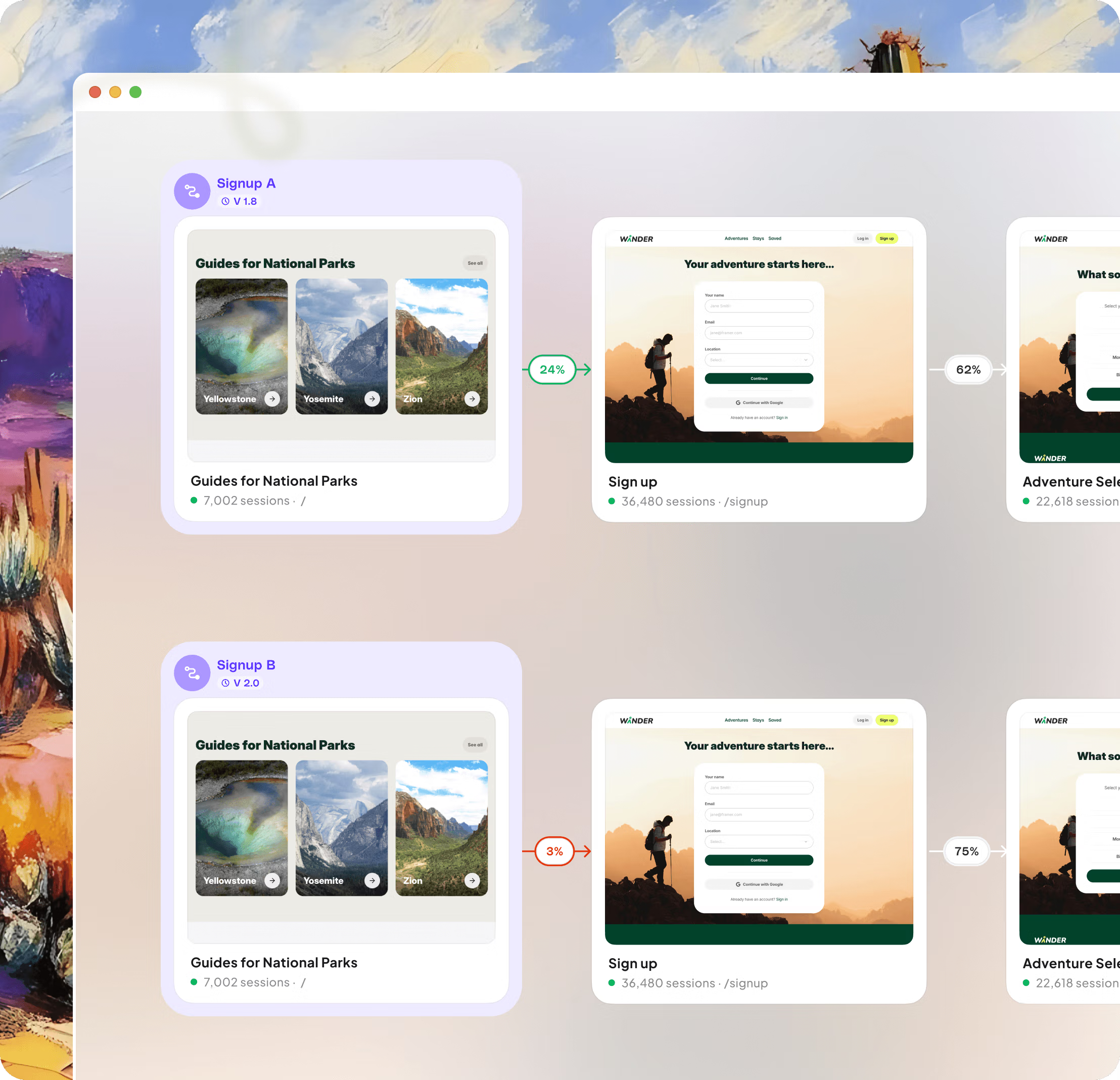

It’s hard to imagine a world before we had a way-back machine for our product. We use it to share updates internally, diagnose issues and sometimes, just for the nostalgia.

Stay in the flow
Unlock your product experience with journey maps, AI insights and a product design library, in one place.